Showing posts with label utilities. Show all posts

Sunday, 10 June 2012

filestube


Google has published detailed information on the wide variety of DMCA takedown requests the company receives for its search engine. During the last month alone Google was asked to remove 1,246,713 links across 24,129 domains, including many torrent sites and cyberlockers. Interestingly enough, Google receives the most takedowns for FilesTube, a colleague search-engine which by itself honors DMCA takedown requests and already removes even more links than Google does.
filestube
Under the DMCA copyright holders have the right to demand that websites disable access to infringing content. One of the top recipients of these notices is without a doubt Google.

To give the public insight into the scope and nature of this process Google has decided to publish all takedown requests online as part of their transparency report.
“Specifically, we’re disclosing the number of requests we get from copyright owners and the organizations that represent them to remove Google Search results because they allegedly link to infringing content,” Google states.

Friday, 8 June 2012

Everest Home Edition 2.20

Everest Home Edition is a system information tool that can provide information on basically every single piece of hardware hidden underneath your PC case, be it the motherboard, the display adapter or a multimedia device.

Although you may find it a bit difficult at the first sight, the main window is full of relevant information regarding your computer, but if you still have problems when trying to read the data, there's also the help manual that comprises tons of details.

The application inspects the computer and uses a clean and organized interface to provide information regarding the whole machine, the motherboard, the display adapter, the multimedia and storage devices, the network and the other pieces of hardware your computer may have.

In addition, there are also three benchmarks that enable you to test memory read, write and latency, all of which are completed in just a few seconds.

During our testing, Everest worked like a charm, as it's fast, easy to use and provides the collected information in a simple and clean way. What we liked the most is the amount of info it shows to the user, including details regarding the motherboard and the CPU, the video adapter, storage devices, the operating system and the installed software.

If there's something wrong in your system and Everest detects it, the application displays some recommendations to fix all the problems. Plus, it can also create a detailed report with information regarding your computer in which it presents the current status of all hardware components.

Last but not least, Everest Home Edition can generate reports of the system summary, the hardware-related information or using the benchmark pages, either as a HTML file as as plain text.

All things considered, Everest Home Edition is one of the most useful system information tools on the market. Combining a handy interface with advanced features, it should be one of the top picks for most computer users out there.


DownLoad:

USB Disk Storage Format Tool 2.2.3


All Windows users surely know by now that there is always more than a single solution to each computer issue, be it software-related or hardware. The same applies when it comes to formatting a disk, as one can rely on the tool integrated in Windows or on a dedicated third-party app. 

HP USB Disk Storage Format Tool is a tiny freeware utility which has been designed for the HP Drive Key or DiskOnKey USB 2.0 devices. Installing it does not represent a problem whatsoever, since it is very compact and it can be run out-of-the-box, i.e. no installation is actually required. 

The interface of HP USB Disk Storage Format Tool resembles the look of the Windows-integrated utility. 

Users simply need to specify the device they wish to format, select the file system and assign the volume a label, then optionally choose quick format or enable compression. One also has the possibility of creating a DOS start-up disk, by either using the internal MS-DOS system files, or the ones located at a specific path.

One of the differences between HP USB Disk Storage Format Tool and the regular formatting tool found in Windows is the fact that this third-party freeware allows users to select USB drives, while the Windows version does not provide this option. 

Moreover, unlike this tiny utility, the Windows tool does not offer a NTFS volume label for format; the freeware in discussion also allows users to create a FAT32 volume which is larger than 32 GB. In addition, HP USB Disk Storage Format Tool enables users to rename all their USB flash drives in any way they want.

Furthermore, HP USB Disk Storage Format Tool can be used to delete space on Flash drives that cannot be removed in the traditional way, create bootable USB drives, or simply remove any tracks of malicious software that may have infected it. 

To wrap it up, if handled with care, this application can make it on the list of indispensable tools when using Windows, successfully enhancing its functions.


TeamViewer


Full version
Quick version


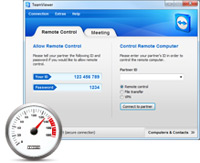
TeamViewer is an excellent screen-sharing and file-transfer app that can be used to facilitate business collaborations, remotely access a second computer, or help distraught relatives diagnose and cure computer problems. Along with being free for noncorporate use, it gives users precisely the tools they need to share screens securely, send files with a minimum of hassle, control access rights, and even flip which user has control.
The options available while you're in control work smoothly. You can maximize the pane that the other computer's screen is visible in, as well as utilize several smart options from a drop-down toolbar in the center of the window. A big X lets you close the connection, while the Actions button lets you switch who's in control, disable remote input, and reboot remotely. The View menu hides options to adjust the screen resolution, the optimization toward speed or quality, and control multiple-monitor displays. New features that work just as effortlessly as the old ones include VoIP audio and video conferencing, and integrated teleconferencing. These features push TeamViewer a notch above the rest because they will work without requiring firewall reconfiguration.
When you log in, you're given an access code and a password. Sharing those allows your computer to be controlled by the level you set it to: remote support, presentation, file transfer, or VPN. The TeamViewer servers remember which computers you've connected to, so reconnecting to previously shared computers happens faster. TeamViewer also has a Web-based version, for remote connecting to home from public computer. Even the installation process is impressive. Users can toggle admin rights, can opt out of running at startup, and can opt into installing the TeamViewer VPN driver for more secure screen sharing. TeamViewer makes screen-sharing and file-sharing as fluid and unobtrusive as it should be, and is a must-have for the home or remote office user.


Rapidgator.net

Thursday, 7 June 2012

iCare Data Recovery Software 4.6.4

iCare Data Recovery Software là một phần mềm khôi phục dữ liệu cho phép bạn thực hiện các thao tác "undelete, unformat, undo shift+delete" để lấy lại file từ ổ cứng được định dạng. Chương trình này khá hữu ích khi bạn vô tình định dạng ổ cứng, xóa phân vùng, làm trống thùng rác, hay bị mất ảnh từ thẻ SD máy ảnh kỹ thuật số, mất file từ thẻ nhớ, flash, ổ cứng ngoài. Với công nghệ tìm kiếm file sâu nhất, bạn có thể khôi phục các file bị mất thậm chí là bị mất bởi các tiện ích phục hồi dữ liệu khác

Chương trình bao gồm 4 thuật sĩ phục hồi(4 Recovery Wizard) :

+ "Partition Recovery" để khôi phục phân vùng bị xóa
+ "Deleted File Recovery" để khôi phục các tập tin bị xóa, các tập tin từ phân vùng bị hư hại hoặc boot sector bị lỗi....
+ "Deep Scan Recovery" cho phép quét sâu và tìm kiếm cả tập tin tồn tại và bị xóa để có thể khôi phục (nên dùng).
+ "Format Recovery" khôi phục tập tin từ ổ đĩa cứng, ổ đĩa gắn ngoài, sd cards, ổ USB Flash.

Một giải pháp phục hồi dữ liệu toàn diện, iCare Data Recovery có thể dễ dàng phục hồi các tập tin từ ổ đĩa bị định dạng sai, tập tin bị xóa bất ngờ, virus tấn công, phân vùng bị xóa, phần mềm bị lỗi.... Nó có thể khôi phục bất kỳ tập tin bị xóa như hình ảnh, tài liệu, nhạc (mp3), tập tin outlook, trình chiếu, và nó cũng làm việc với bất kỳ phương tiện lưu trữ nào như ổ đĩa cứng, ổ cứng di động, thẻ nhớ của máy ảnh kỹ thuật số, ổ đĩa USB, ipod, thẻ nhớ ( memory card)....!

Bản thân mình đã test qua phần mềm này thì thấy rất tốt, hôm đi chơi với lớp đứa bạn vô tình xóa mất toàn bộ ảnh trong thẻ nhớ, tìm được phần mềm này dùng tốt nên mình muốn chia sẻ cho các bạn dùng 
Kết quả sau khi khôi phục lại thì bị hỏng đúng 2 cái ảnh, video thì còn nguyên vẹn mà thẻ nhớ đã bị ghi đè dữ liệu lên 3 lần nhưng vẫn lấy được 


download

Allok Video to 3GP Converter 6.2.0603

Allok Video to 3GP Converter6.2.0603 (Release Date:06/03/2009) is a powerful and handy video converter for mobile phone and PDA. It can convert almost all video format, e.g. DivX, XviD, AVI, WMV, MPG, MPEG, MP4, M4V, FLV, 3GP, ASF, RM, RMVB, MOV, MOD, ASX, MKV, OGM, SVCD, VCD, VOB to 3GP, 3GP2, MP4, AVI Video format.

Integrated world class H263 XviD MPEG4 encoder brings you amazing video quality with super fast conversion speed, And the output video supports multifarious resolution (QCIF, SQCIF, CIF, VGA, QVGA, etc.).

Allok Video to 3GP Converter give you everything you need to turn your mobile phone, PDA into a portable media center, watch TVs, movies, home videos on the go, share with family and friends. It's so easy that anyone can use it, works in just a few quick steps and takes only minutes, even seconds!


Key Features of Allok Video to 3GP Converter:

* Video source supports DivX, XviD, AVI, WMV, MPG, MPEG, MP4, M4V, FLV, 3GP, ASF, RM, RMVB, MOV, MOD, ASX, MKV, OGM, SVCD, VCD, VOB any video format play-able.
* Supports AAC, AC3, AMR, MP3, MP2, M4A, OGG, WAV, WMA, etc Audio formats.
* All video to 3GP Converter.
* All video to 3G2 Converter.
* All video to H263 Converter.
* All video to MP4 Converter.
* All video to AVI Converter.
* All video to DivX Converter.
* All video to WMV Converter.
* All to MP3 Converter.
* All to M4A Converter.
* All to AAC Converter.
* All to WMA Converter.
* All to AMR Converter.
* Inside h263 xivd mpeg4 encoder.
* Batch files conversion.
* High-speed encoder ensures smooth conversion of video and audio data.
* Encode videos with high quality.
* Movie scene spot edit-able.
* Support various subtitle file .
* Keep the original aspect ratio or resize movie to fit the cellular phone monitor resolution.
* Custom define the output audio volume.
* Support Drag and Drop.
* Preview source clips
* Shutdown computer automatically when job is done.
* Simple GUI and very EASY to use.
* Lifetime FREE Technical Support and FREE upgrade Free trial download.30 day money back guarantee .

System Requirements of Allok Video to 3GP Converter:

* Windows 2000/ME/XP/2003 operating system.
* DirectX8.1 or higher (DirectX9.0 is recommended)
If you have any problem on downaloading DirectX please feel free to visit Microsoft DirectX Downloads
* Pentium 300 MHz or better
* 128M or more RAM
Link Download mediafire 

CCleaner 3.19.1721 [Mediafire]

CCleaner Business Edition

CCleaner Business EditionCCleaner Business Edition is the easiest way to make your PC instantly faster. It makes PCs run Clean, Safe and Fast!
Whether you have a single computer or several, deploy CCleaner Business Edition in your office for a dramatic improvement in productivity and computer safety.
  • Instantly faster PC
  • One-Click cleaning
  • Faster web browsing
  • Eliminates tracking info and super cookies
  • Faster PC boot up
  • Get 'like new' performance without buying new PC
  • Millions of users worldwide

Screenshots


Download and pricing :download